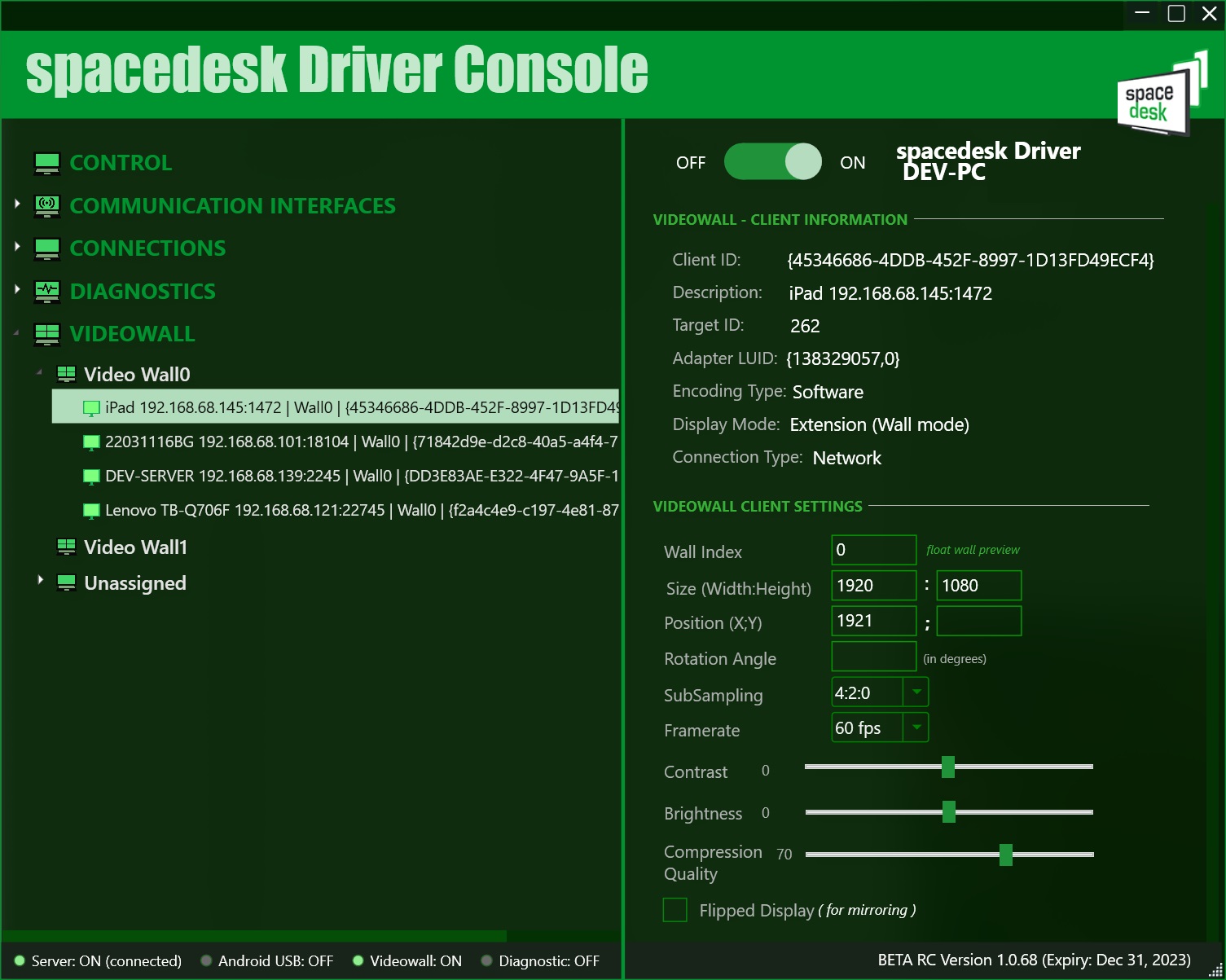
Client Display Settings
Updating the client display’s settings will take effect immediately upon pressing the enter on each text box.
Wall Index
Use to create new Video Wall or assign to an existing Video Wall.
Size (Width:Height)
The Width x Height / screen resolution of the client display.
Position (X;Y)
The (X : Y) position/coordinates of the client display. By default, both are set to 0.
This settings is only applied on the client displays assigned in a Wall.
Rotation Angle
Angle in degrees of the client display. By default, it is set to 0.
This settings is only applied on the client displays assigned in a Wall.
Framerate
The frame rate per second (FPS) of the client display as set in the Wall Display Settings.
Contrast
Slider settings to adjust the client display image’s contrast. By default, it is set to 0.
Brightness
Slider settings to adjust the client display image’s brightness. By default, it is set to 0.
Compression Quality
Slider settings to adjust the client display image’s quality. By default, it is set to 70.
Flipped Display
This check box will enabled the inverted/flipped display which usually used for mirroring.