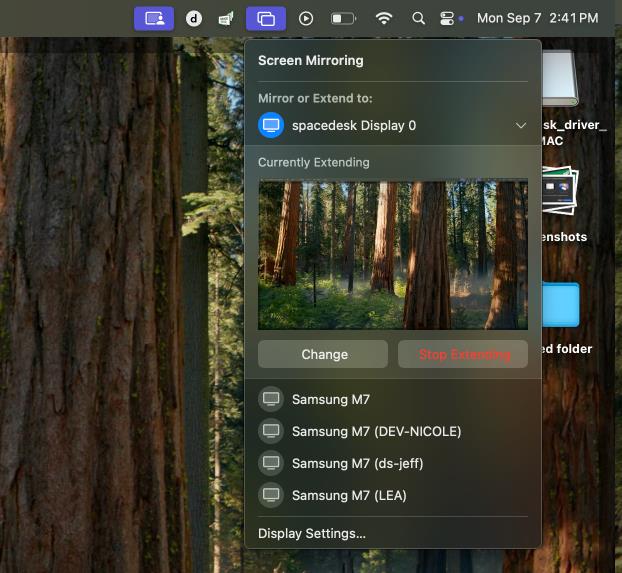
Desktop Extension or Desktop Duplication (mirror) Settings in Screen Mirroring
For macOS:
Upon first connection, a pop-up will appear that asks if you would Mirror the main display (Entire Screen) or extend (Extended Display)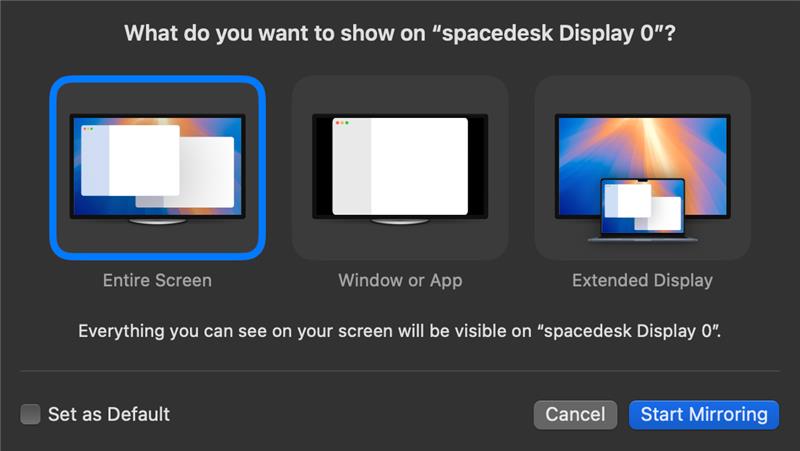
To change display modes, click on the "Screen Mirroring" icon on the top right of the desktop, click on "Change" and select from the pop-up if you want to mirror the entire screen of the main display or you want the screen as an extended display.